
Service businesses
Teams that manage appointments, sessions, visits, classes, reservations or scheduled services.
Webits builds booking apps for businesses that need appointments, schedules, capacity, confirmations and customer updates handled cleanly on mobile.
A booking app needs to make time, capacity and customer action feel simple, even when the rules behind the service are not simple.
Webits plans the booking flow around the customer journey, staff visibility, rules, changes, reminders and the admin layer behind the app.
Teams that manage appointments, sessions, visits, classes, reservations or scheduled services.
People who need to see availability, book quickly, manage details and receive clear updates.
Staff who need booking visibility, change handling and less manual coordination.
The useful parts depend on availability rules, customer actions and how the business manages bookings behind the scenes.
Customer-friendly steps for selecting service, time, location, staff or appointment type.
Mobile views for upcoming bookings, confirmations, changes and account activity.
Push or email reminders for confirmations, reschedules, cancellations and next steps.
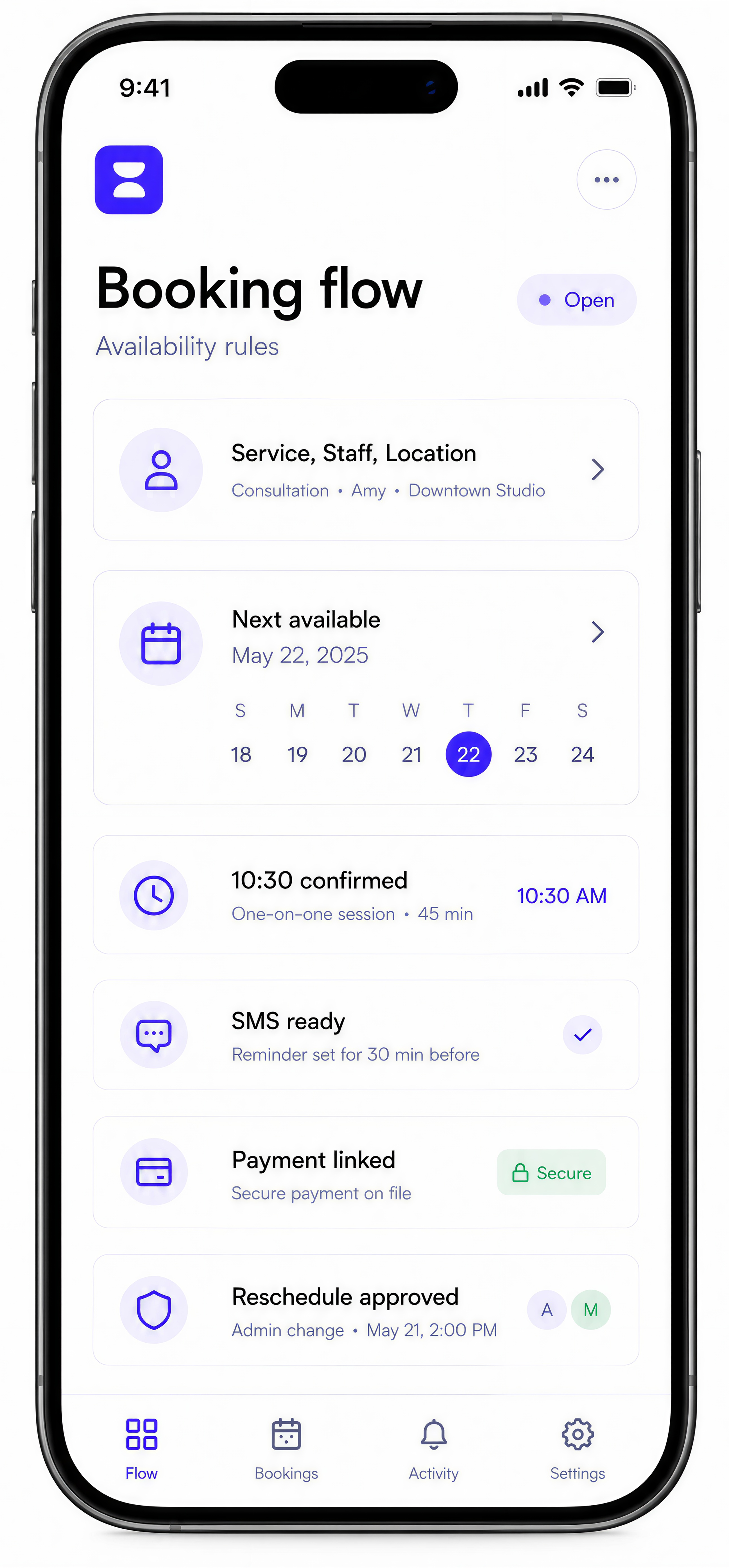
Connections to payment tools, calendars, CRMs or booking systems where needed.
Internal views for availability, bookings, customers, staff, exceptions and reporting.
Rules for cancellations, reschedules, waitlists, approvals or booking status.
These are common signs a booking app could make scheduling easier for customers and staff.
Capacity, staff, locations or time rules are difficult to keep clear for customers.
Confirmations, changes and no-show reduction depend on clear communication.
Calendars, payments, customer records and staff updates do not stay connected.
The team needs to see bookings, changes, exceptions and activity without manual checking.
The build starts with the booking rules, then turns them into a mobile flow with clear admin control and launch support.
Clarify services, availability, capacity, changes and customer booking paths.
Design the mobile experience around fast selection and clear confirmation.
Develop the app, admin controls and connections that keep bookings accurate.
Check availability, changes, reminders, payments and exception handling.
Support rollout and improve the booking experience once real usage is visible.
A selection of digital products, platforms and business systems engineered for organisations that depend on technology every day.
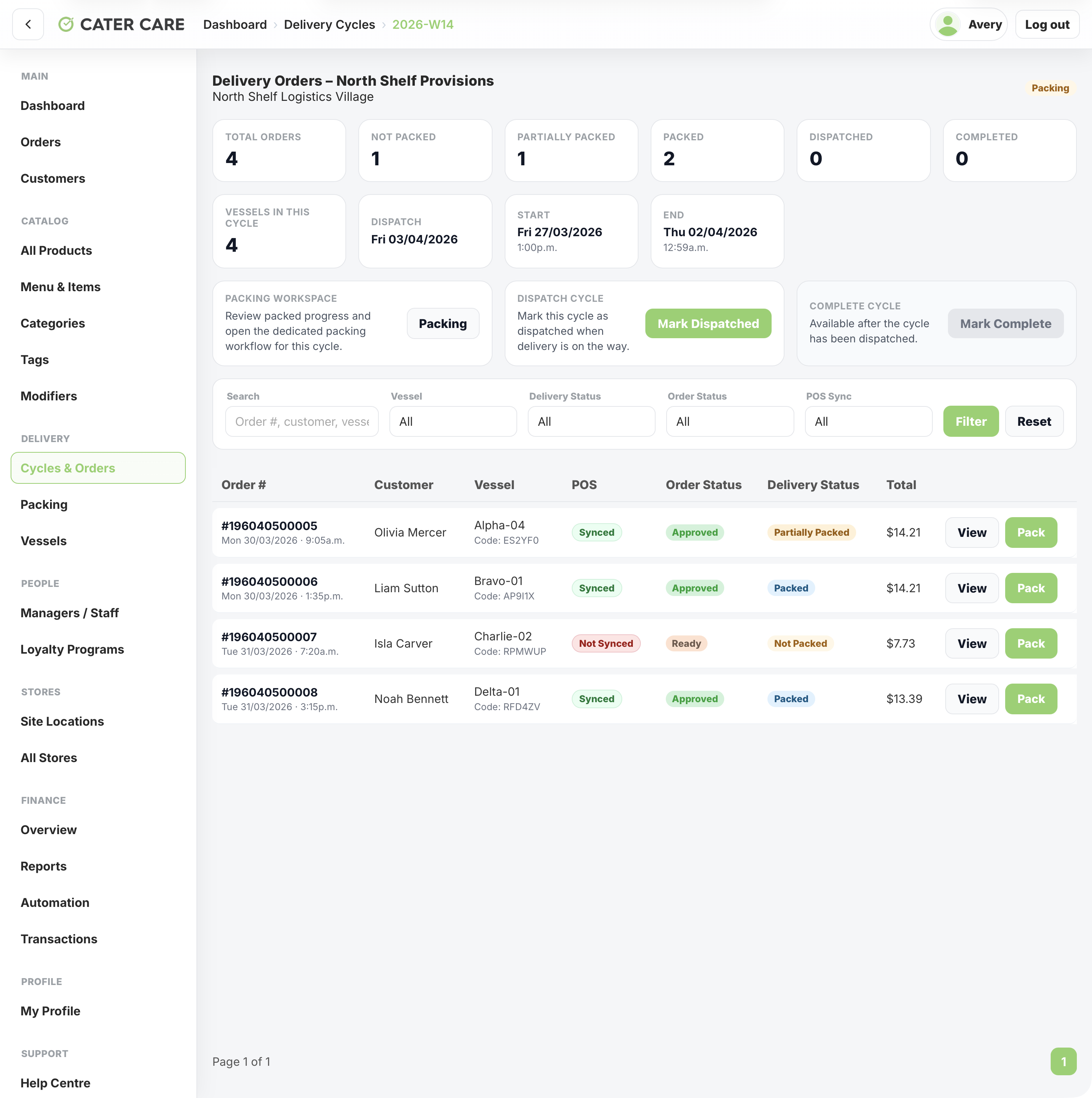
A remote workforce delivery platform for Cater Care, connecting QR-led vessel ordering, delivery cycles, packing, dispatch, worker tracking, store operations, and central reporting.
View case study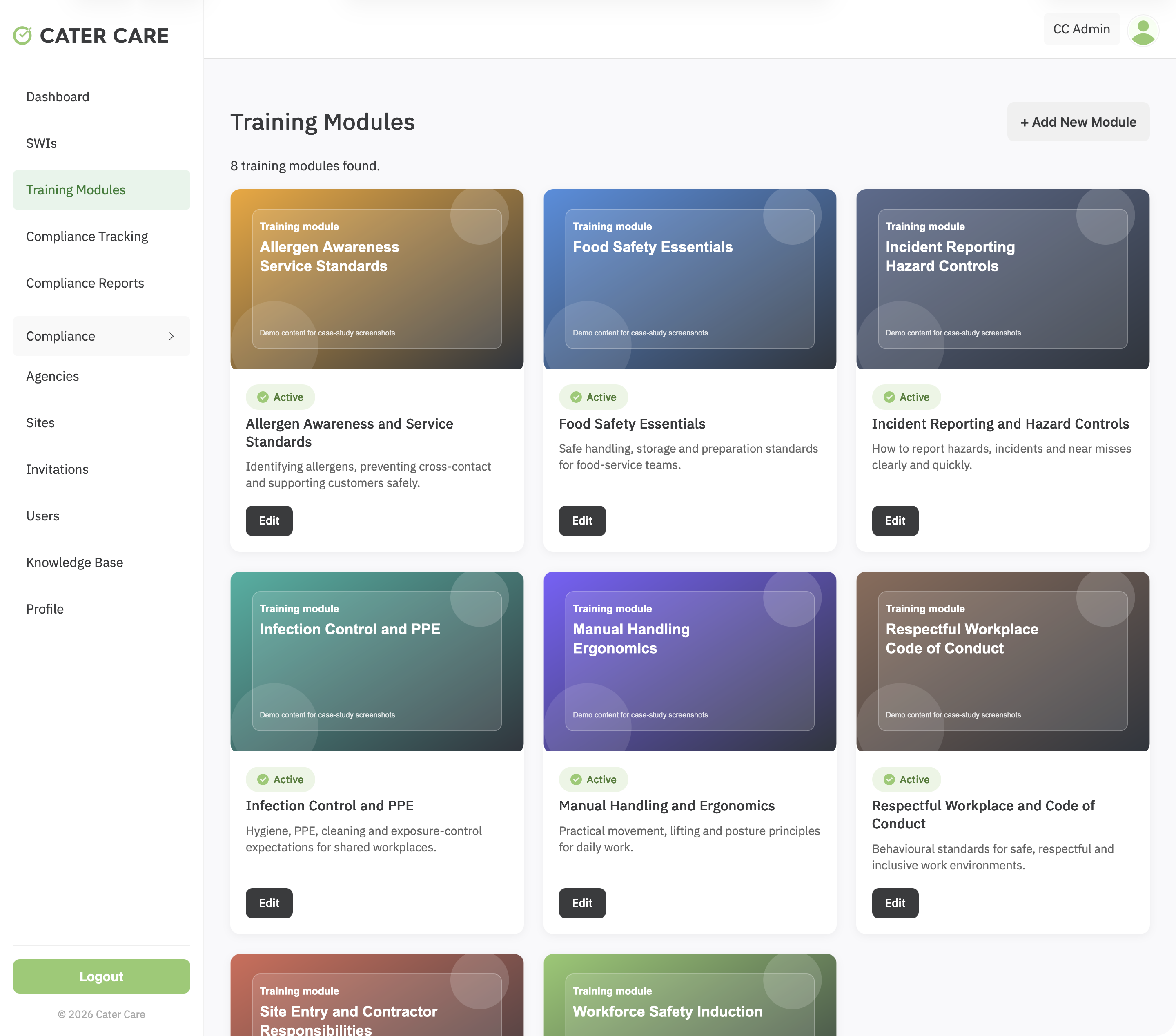
A workforce training and compliance platform for Cater Care, connecting custom SCORM delivery, SWI sign-off, VOC evidence, reporting, and role-based oversight.
View case study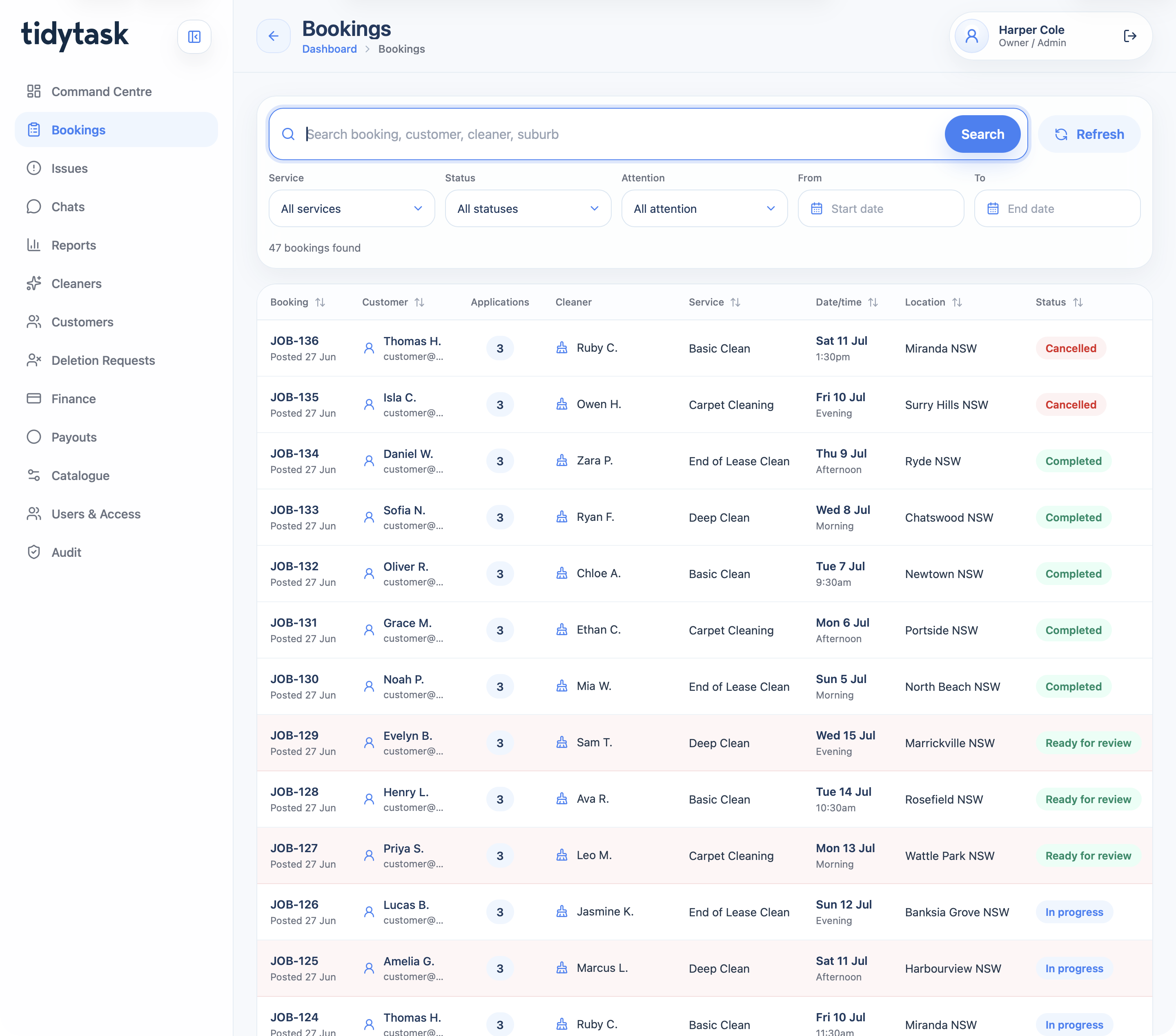
A cleaning marketplace and operations platform for customer booking, cleaner applications, payments, GPS proof, support, finance, payouts, reporting, and admin control.
View case studyA short list of the things teams usually ask before scoping a booking app.
A booking app can include availability, calendars, service selection, payments, reminders, reschedules, waitlists and admin controls.
Yes. Calendar and system connections can be scoped where the business needs booking data to stay aligned.
Yes, if payments are part of the booking flow and the commercial model requires it.
Yes. Many booking apps should start with the core booking path before adding advanced rules.
Bring the booking rules, customer journey and current scheduling issues. Webits can help define the right first release.