
Technicians
People completing work on site who need jobs, instructions, notes and proof in one place.
Webits builds field service mobile apps for teams that need jobs, site updates, checklists, photos, signatures and office visibility handled in one clear flow.
Field service work moves quickly. The app needs to support the technician, the coordinator and the customer record without adding admin at the end of the day.
Webits plans the mobile flow around job stages, site realities, proof capture and the office-facing controls that keep service delivery moving.
People completing work on site who need jobs, instructions, notes and proof in one place.
Coordinators who need better visibility over job status, exceptions and completion.
Businesses that manage visits, repairs, installs, inspections or maintenance across multiple locations.
The feature set depends on the job lifecycle, proof requirements and systems the business already uses.
Daily jobs, site details, tasks and priorities shown clearly for each technician or crew.
Simple states for scheduled, travelling, on site, blocked, complete or ready for review.
Photos, signatures, notes, forms or documents tied to the right job and customer.
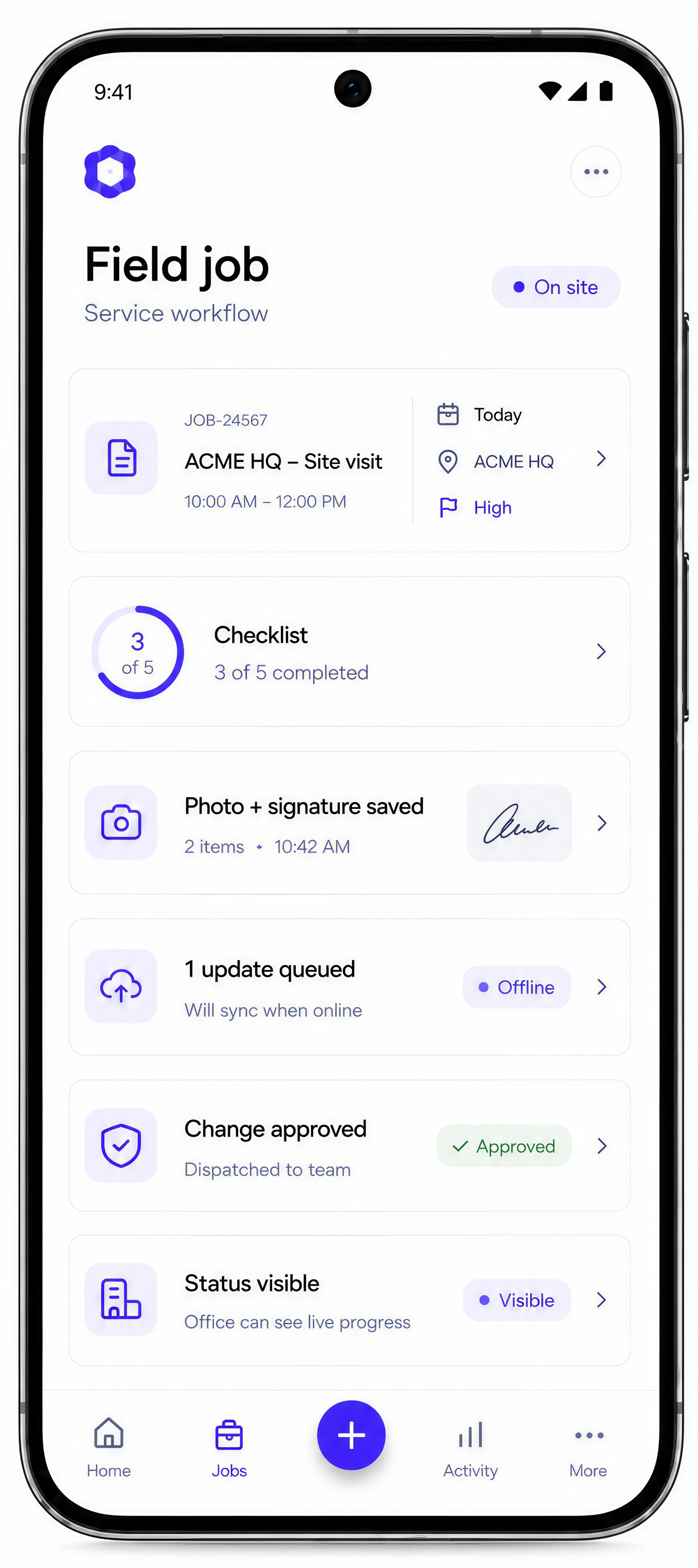
Planning for poor coverage, queued updates and sync behaviour where field work needs it.
Notifications for job changes, urgent updates, approvals or next actions.
Admin views for jobs, technicians, exceptions, history and operational reporting.
These are common signs a field service app would make the work clearer for both site and office teams.
Instructions, notes, photos and updates sit across calls, messages, paper and disconnected systems.
The office needs to know what happened on site without constant follow-up.
Photos, signatures, notes or checklists are collected after the job or stored in the wrong place.
Coverage, timing and hand-offs make the workflow harder than a simple online form.
The build starts with field service reality, then turns the job lifecycle into a mobile product and admin layer.
Understand how jobs are assigned, completed, checked and closed.
Design screens around fast site decisions and repeat technician actions.
Build the app with admin views, backend logic and required integrations.
Check device use, offline needs, proof capture, hand-offs and exception paths.
Support rollout and improve the workflow once real field behaviour is visible.
A selection of digital products, platforms and business systems engineered for organisations that depend on technology every day.
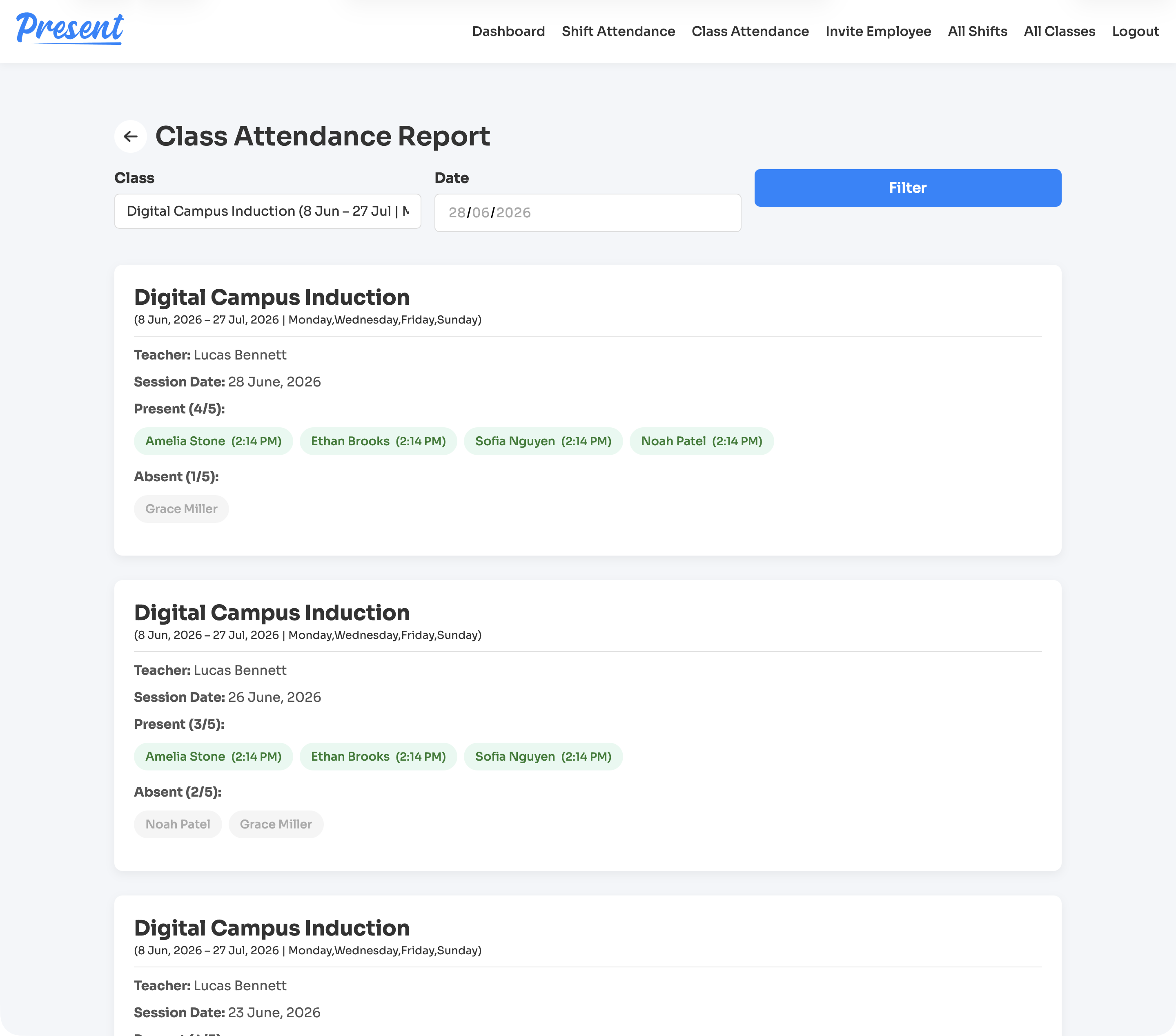
A web and iOS attendance platform for education providers, covering class rolls, staff shifts, geofenced clock-ins, cancellations, reports, notifications, and role-based admin control.
View case study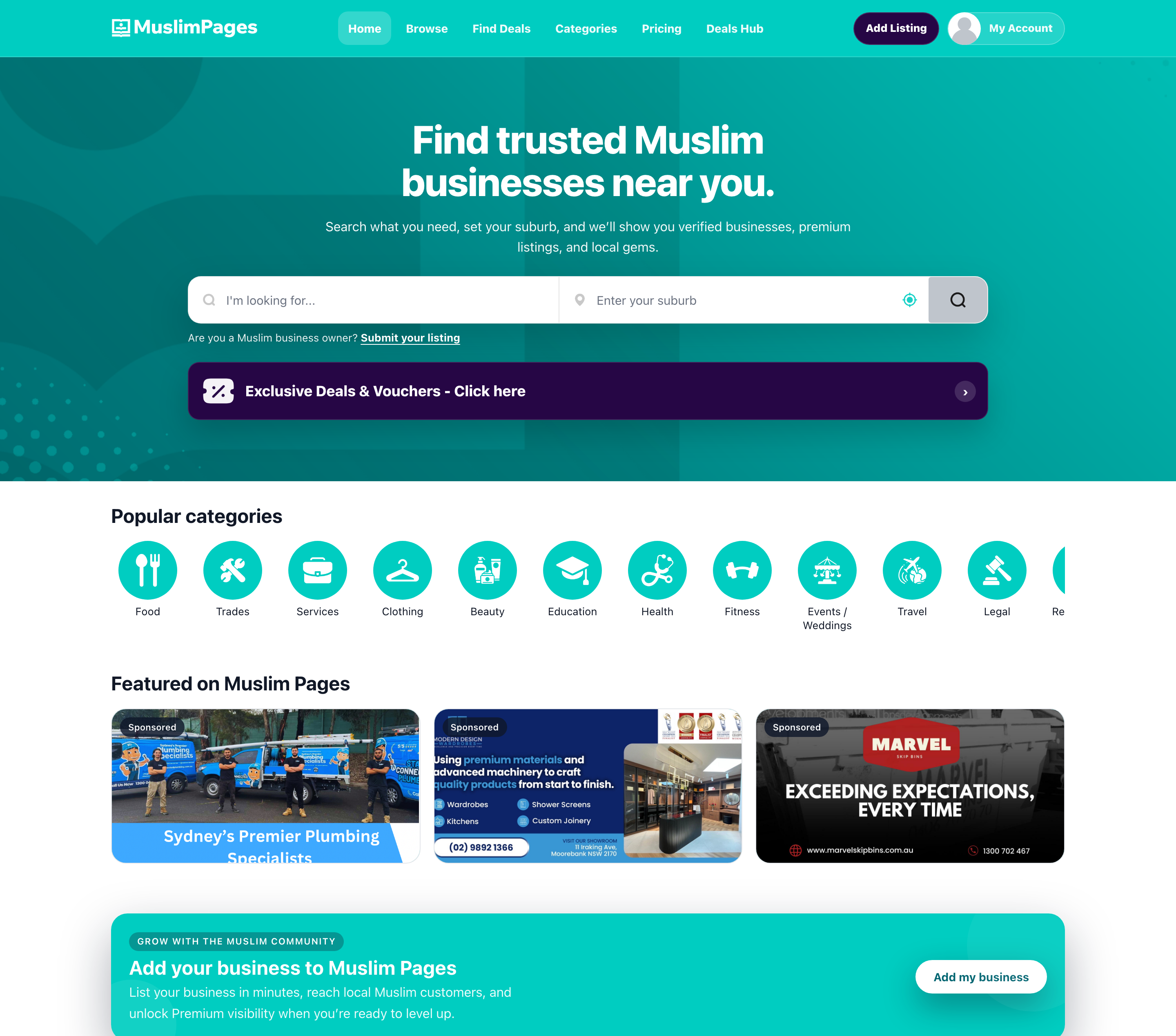
A community directory, deals marketplace, owner portal, and React Native app connecting Muslim Australians with businesses, offers, subscriptions, and local discovery tools.
View case study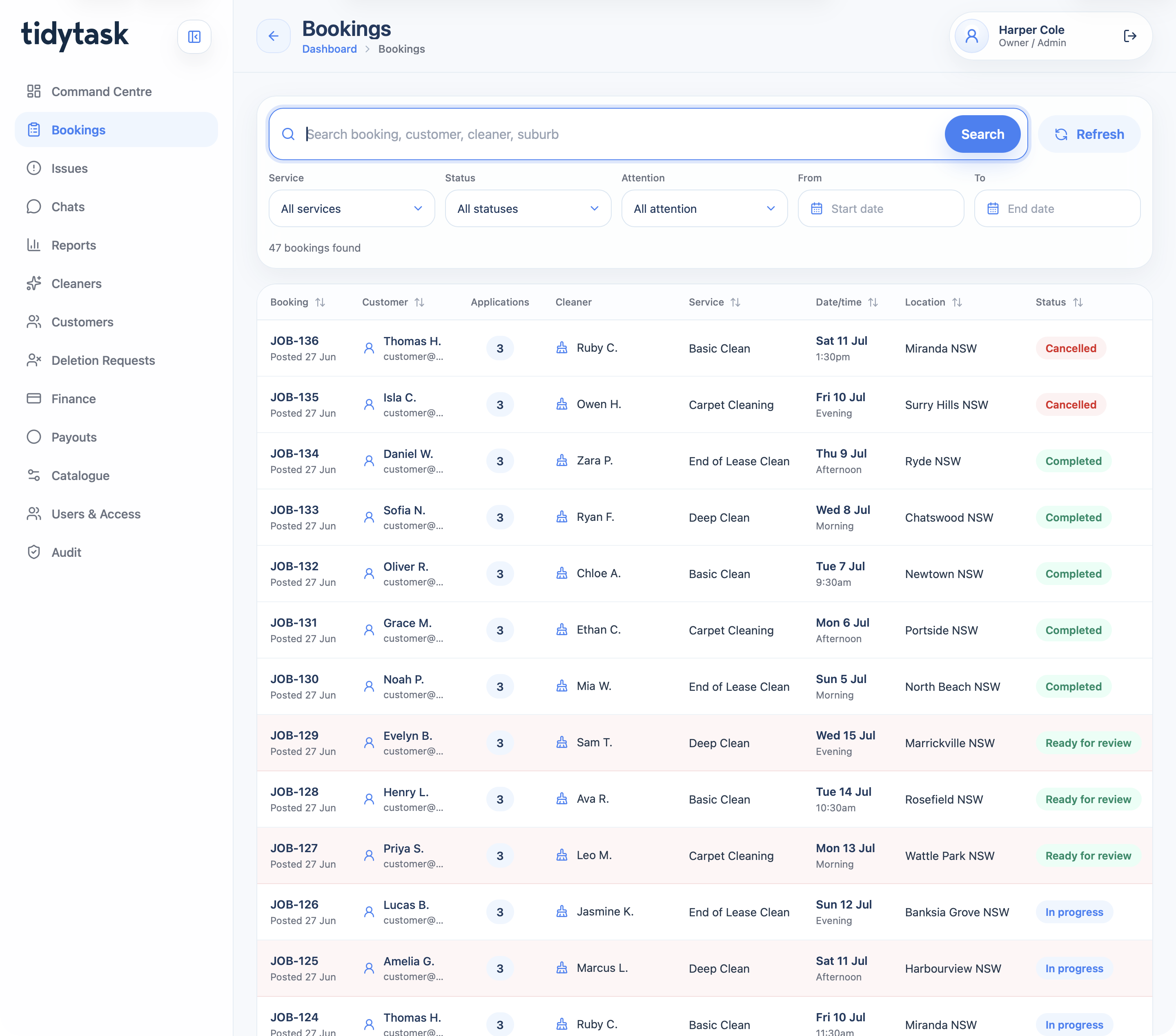
A cleaning marketplace and operations platform for customer booking, cleaner applications, payments, GPS proof, support, finance, payouts, reporting, and admin control.
View case studyA short list of the things teams usually ask before scoping a field service app.
It can include jobs, checklists, status updates, photos, signatures, notes, offline handling, notifications and office visibility.
Yes, when the job flow and proof requirements are properly mapped before build.
Yes. The app can connect with job, CRM, scheduling or reporting systems where needed.
No. Offline support depends on coverage, job environment and how critical live updates are.
Bring the job lifecycle, site rules and current tools. Webits can help shape the right first release.