
Field teams
People working away from a desk who need simple access to jobs, tasks, notes, files and updates while the work is happening.
Webits builds workforce mobile apps for teams that need job updates, approvals, checklists, evidence capture and operational tasks handled cleanly away from the desk.
Best for teams with field staff, shift workers, technicians or mobile crews who need one clear way to see the next job, capture updates and keep the office informed.
The point is not another app on a phone. It is a cleaner operating link between people doing the work and the business coordinating it.
People working away from a desk who need simple access to jobs, tasks, notes, files and updates while the work is happening.
Managers who need better visibility over status, exceptions, workload and completion without chasing every update manually.
Businesses where jobs, visits, checks, deliveries or site work need a stronger connection between the field and the office.
The useful parts depend on the workflow. These are the pieces that often turn a mobile product from an interface into a working operational tool.
Clear task or job views for each worker, team or location, shaped around what they need to complete that day.
Simple progress states that help the business see what is scheduled, in progress, blocked or complete.
Image, file or evidence capture tied to the right job, customer, site or checklist.
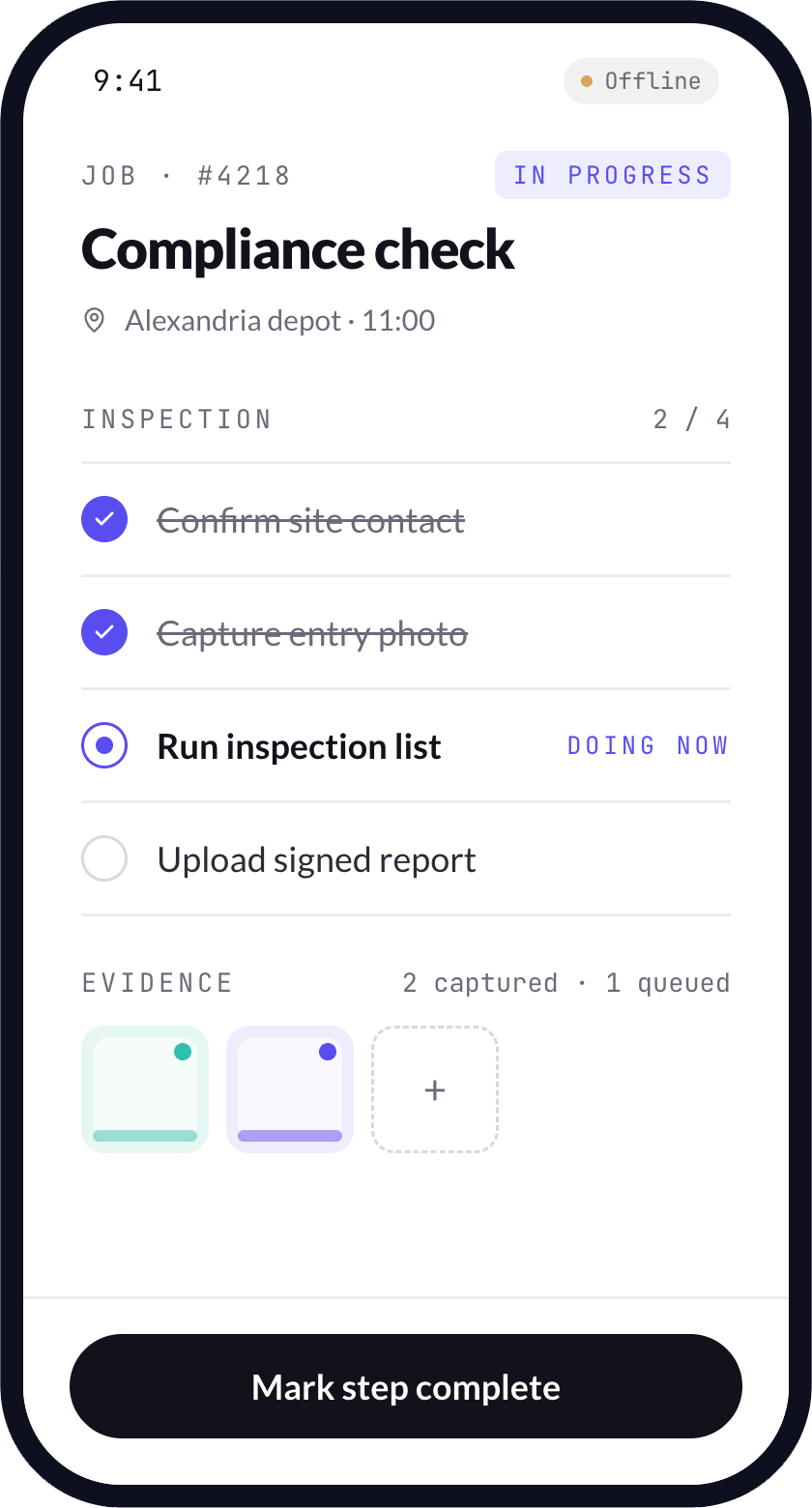
Workflows planned around poor coverage, delayed syncing and the realities of mobile work.
Useful reminders and alerts for assignments, changes, approvals, delays or next actions.
Office-facing views for status, exceptions, users, job history and operational reporting.
These are usually the signs that a mobile layer has become operationally useful, not just a nice-to-have.
Status, notes, photos and exceptions sit across calls, messages, paper forms or disconnected tools.
Coordinators lose time asking what happened, what is delayed and what needs attention next.
Photos, signatures, checklists or completion details are captured too late or stored in the wrong place.
The existing system may work in the office, but it does not support the people doing the work on site.
The build starts with the way the work moves, then turns that into a mobile product your team can use in the field and the business can manage behind the scenes.
Understand the job lifecycle, field environment, hand-offs and information the team needs to trust.
Decide what belongs in the mobile app, what stays in admin and what needs to connect behind it.
Shape the screens around fast decisions, low friction and the actions users repeat every day.
Build the app with the backend, admin views and integrations needed to keep work moving.
Support rollout, watch real usage and improve the flow once field behaviour is visible.
A selection of digital products, platforms and business systems engineered for organisations that depend on technology every day.
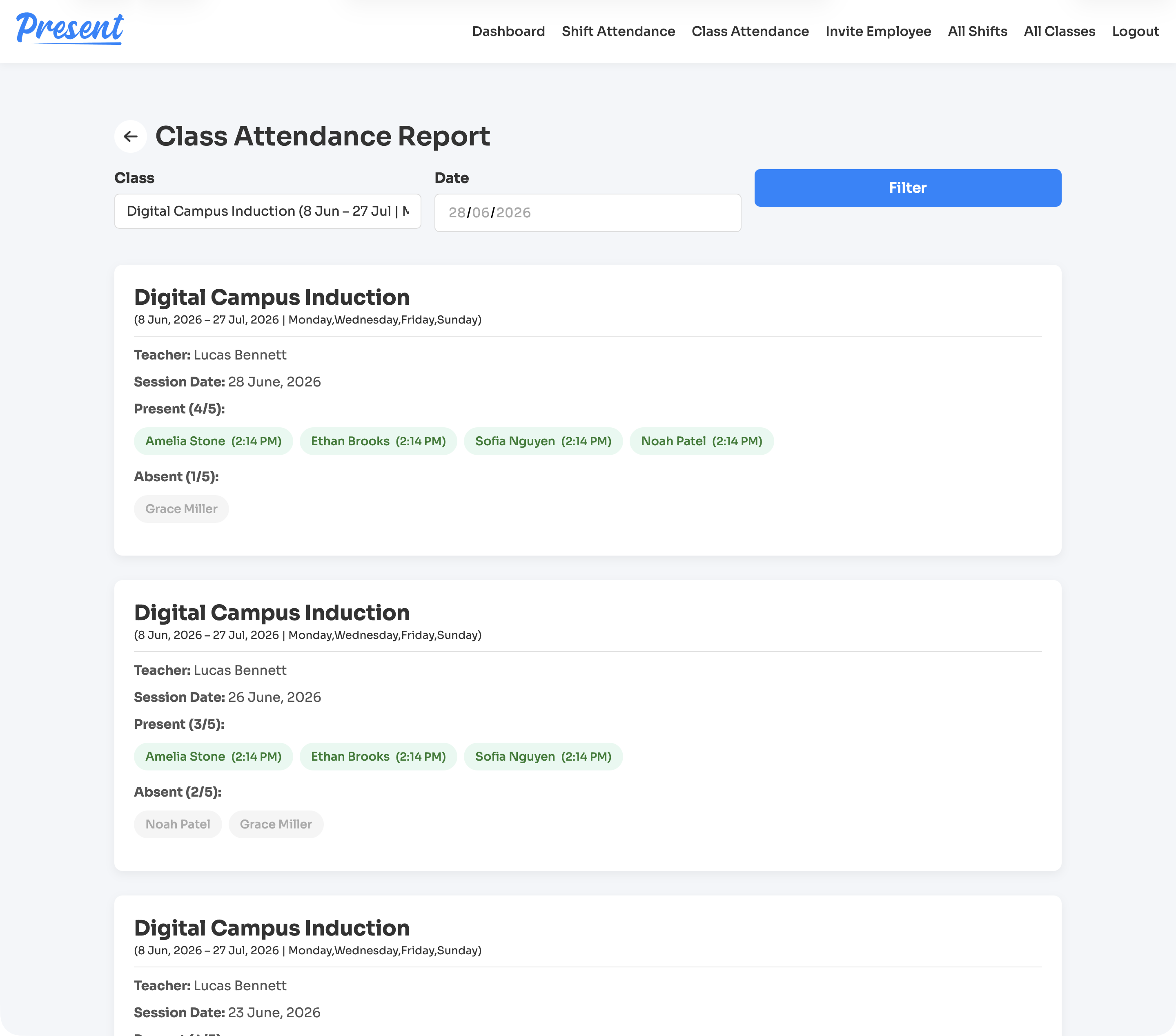
A web and iOS attendance platform for education providers, covering class rolls, staff shifts, geofenced clock-ins, cancellations, reports, notifications, and role-based admin control.
View case study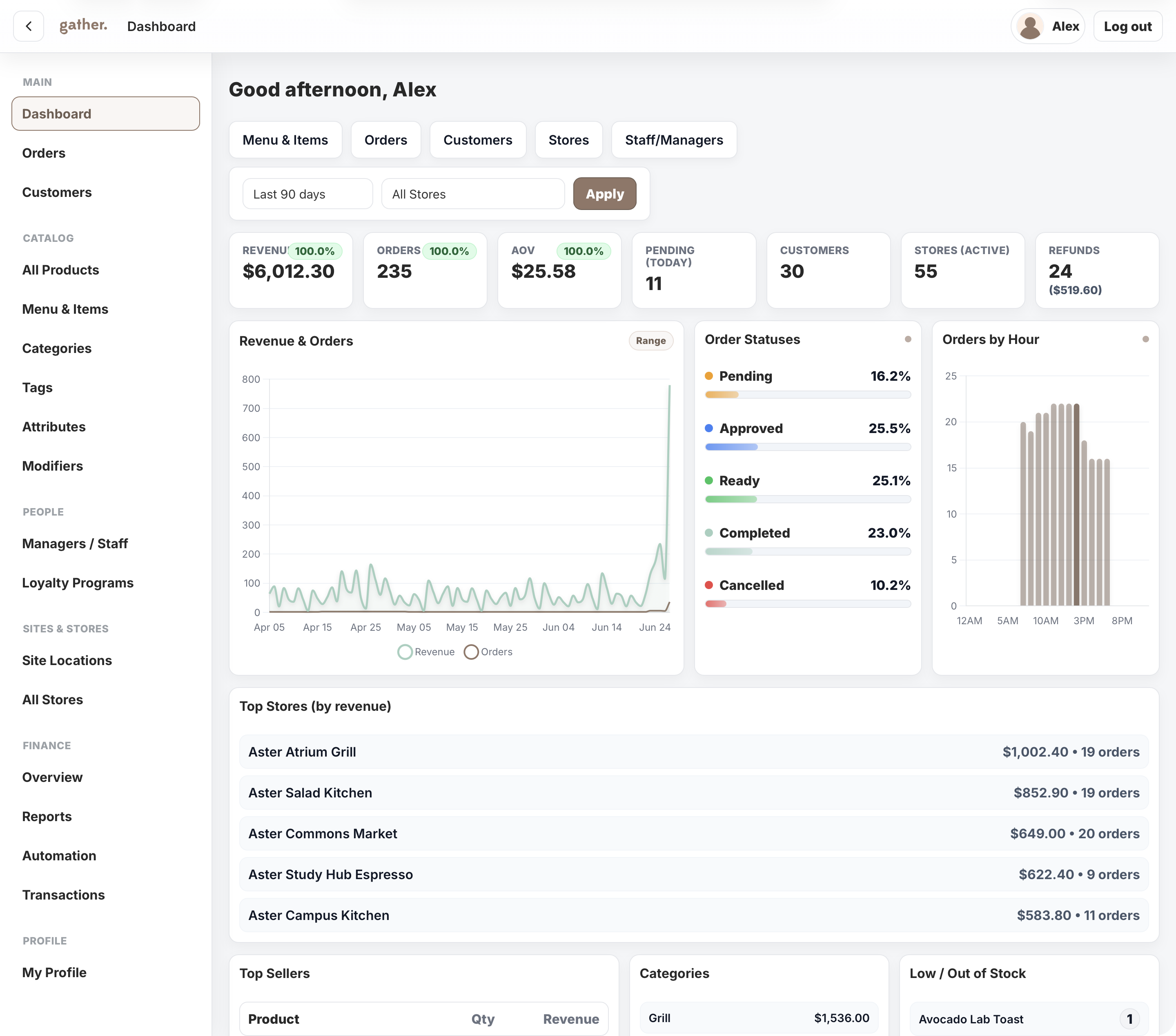
A campus commerce platform for Cater Care, connecting mobile ordering, outlet operations, payments, POS sync, loyalty, reporting, and head-office control.
View case study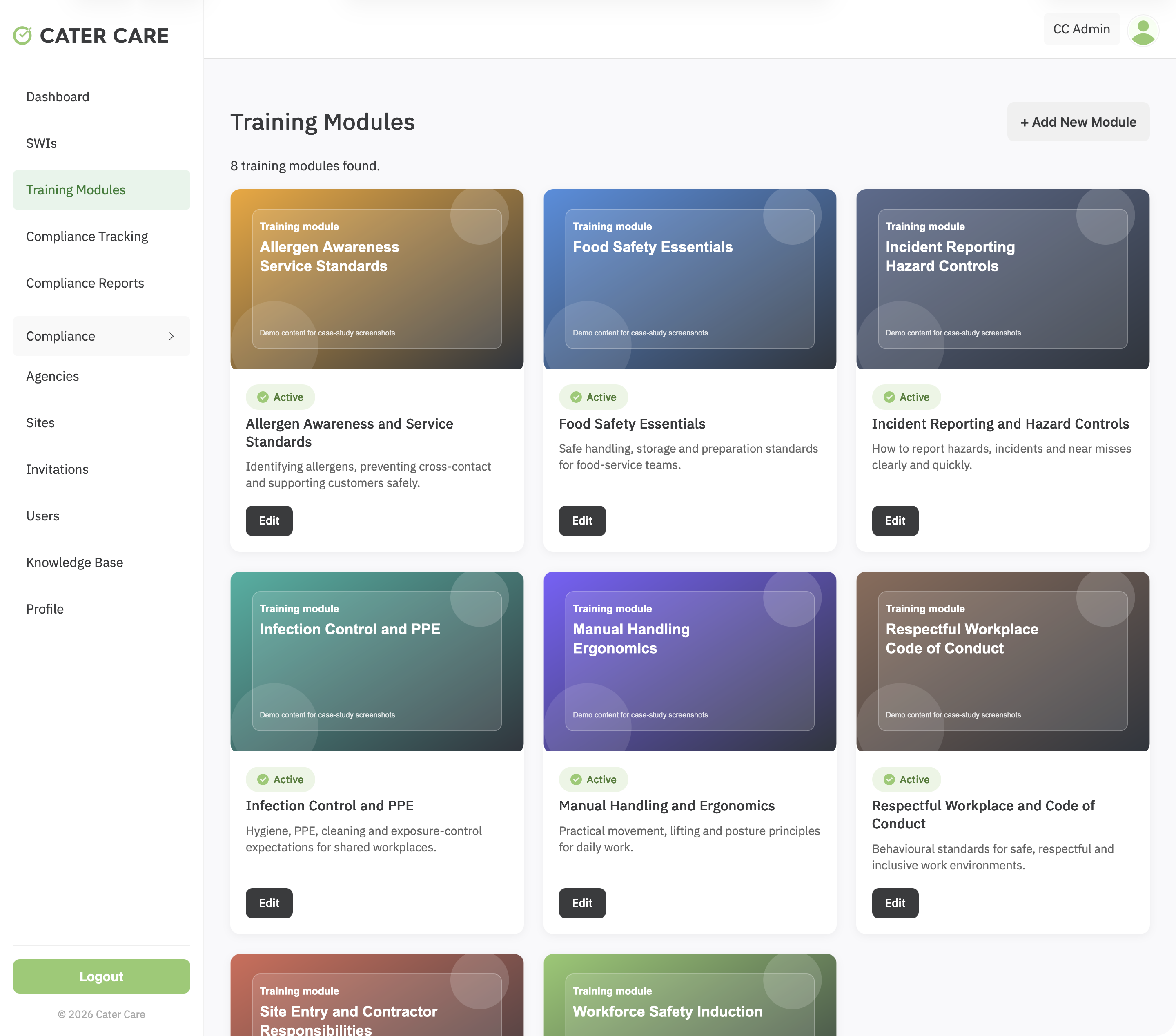
A workforce training and compliance platform for Cater Care, connecting custom SCORM delivery, SWI sign-off, VOC evidence, reporting, and role-based oversight.
View case studyA short list of the things teams usually ask before scoping a workforce app build.
It can handle jobs, checklists, notes, photos, approvals, signatures, status updates, time-sensitive actions and field reporting.
Yes. Field activity can flow into dashboards or admin portals so office teams have clearer visibility.
Yes. Offline or low-connectivity needs should be discussed early because they affect architecture and scope.
Yes. A focused first release is often the best way to prove the value before expanding.
Bring the field workflow, current manual handling and systems involved. Webits can help shape the first release.